One tenancy, end to end: the property and the contact, the deal, its documents, the payment schedule, the registration tab and the renewal — what each step does and what it does not.
A deal is useful once it carries a real tenancy: a property, a tenant, a term, a rent, the documents behind them and a payment schedule. This walkthrough takes one tenancy through those steps in the order the product asks for them.
Step 1: Add the property and the contact
- Properties → Add Property. Set the emirate on the property: the deal follows the emirate of its property — its notice deadlines, its rent check and the name of its registration tab.
- Contacts → Add Contact for the tenant, and for the owner if you track one.
You can also do both from inside the deal form: its pickers offer Add New Property and Add New Contact, and the deal you started is kept as a draft.

Step 2: Create the deal
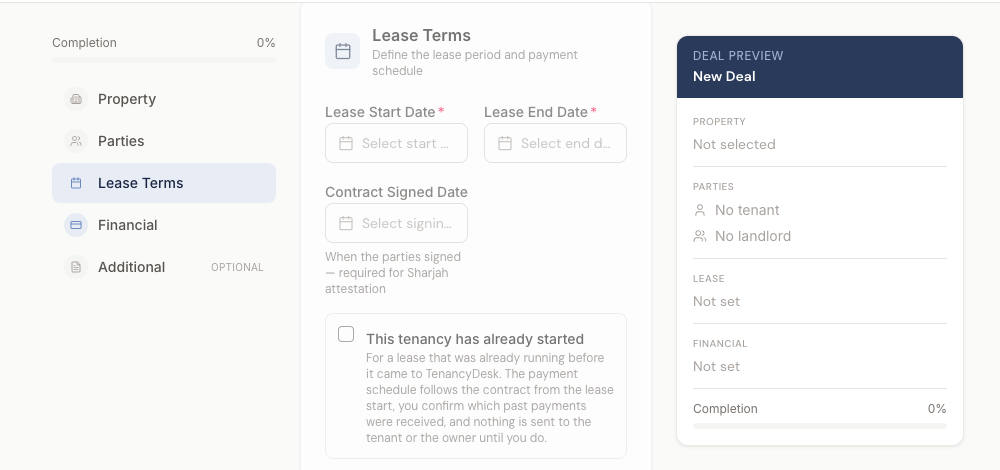
Deals → New Deal opens Create New Deal with four sections to complete — Select Property, Parties, Lease Terms, Financial Details — and an optional Additional Information. Press Create Deal when the form says it is ready.
If the lease was already running before it came to TenancyDesk, tick This tenancy has already started. The payment schedule then follows the contract from the lease start, you confirm which past payments were received, and nothing is sent to the tenant or the owner until you do — reminders about past payments stay on hold until you confirm them.
Step 3: Documents
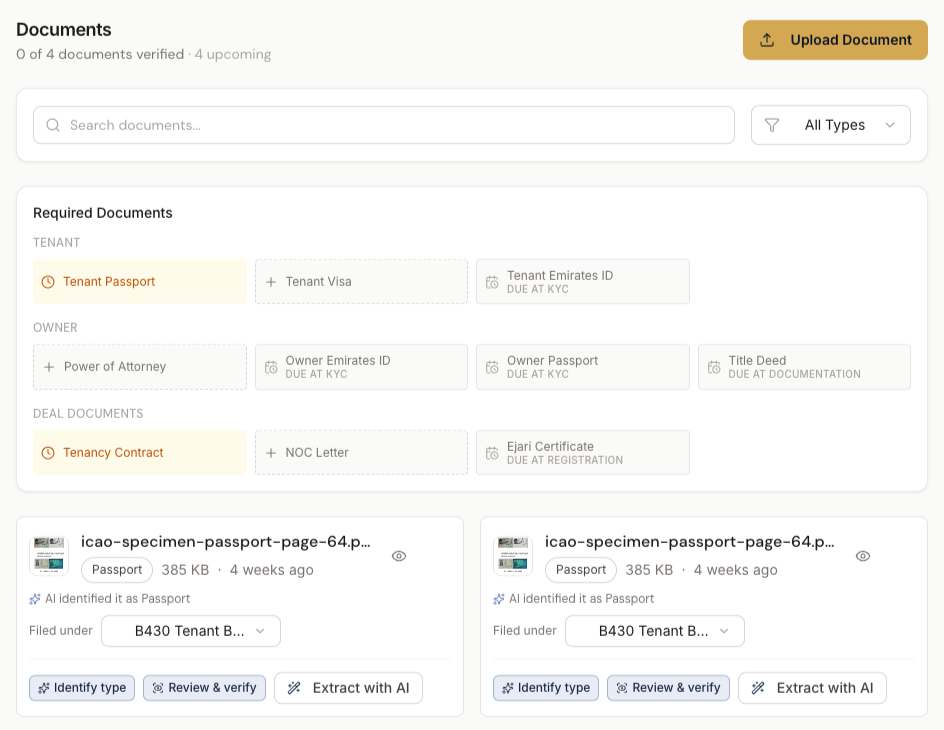
Open the deal's Documents tab. Upload Document adds a file; Request a document asks the tenant or the landlord for a document the checklist does not name. The tab counts what is verified and what is still missing.
- Review & verify — a person checks the document; nothing is verified on its own.
- Extract with AI reads the fields from a document and shows them for you to review before anything is applied. It is a draft for a person to check, not a verified record.
Step 4: Payments — create the schedule
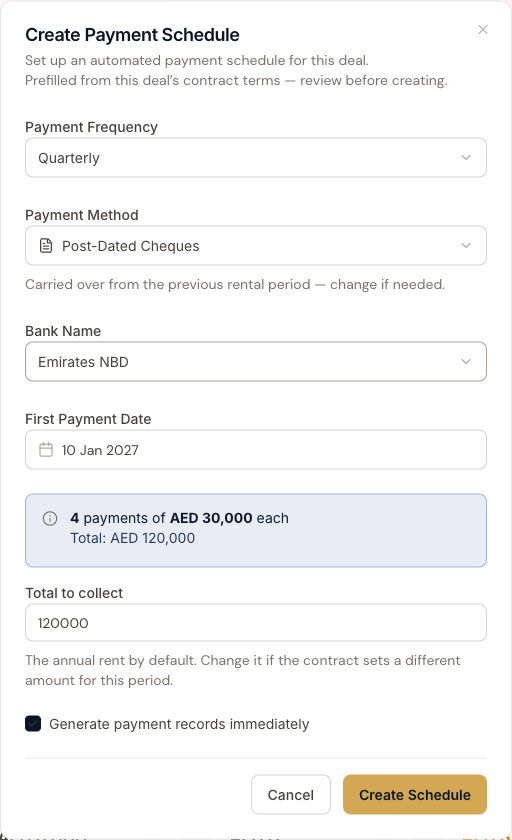
On the Payments tab, Create Schedule opens Create Payment Schedule, prefilled from the deal's contract terms: payment frequency, payment method, bank and first payment date. Review it, then press Create Schedule. The deal cannot move on to registration without a payment schedule.
Step 5: The registration tab — prepare, file, record
The registration tab carries the name of the emirate's system: Ejari in Dubai, Tawtheeq in Abu Dhabi, Sharjah Municipality Attestation in Sharjah, and the emirate's own system elsewhere.
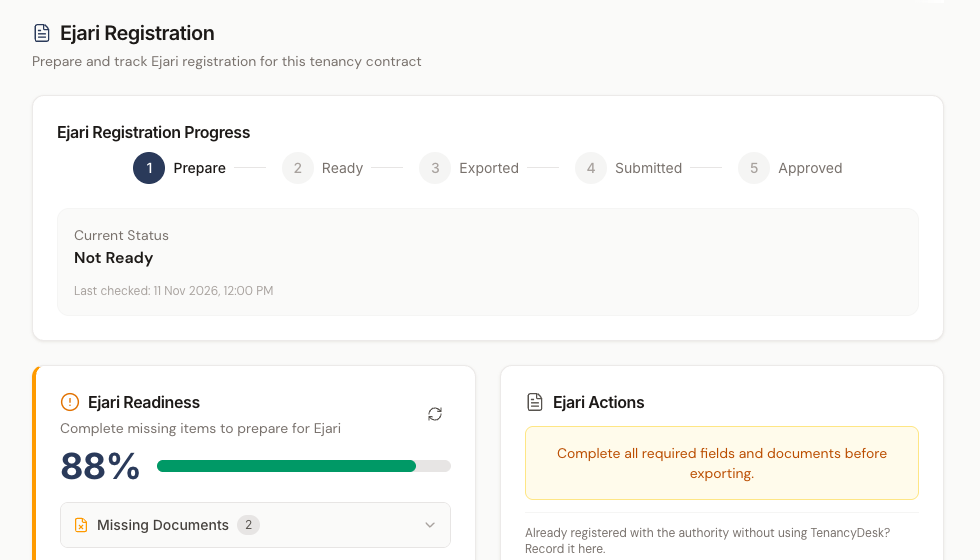
- Prepare. The tab shows its readiness — Ejari Readiness, missing documents, Submission Instructions — and, once ready, lets you export the data and the documents (Export Data, Export Docs on Ejari).
- File on the authority's own system. Ejari on the Dubai Land Department's channels; Tawtheeq on DARI, the Abu Dhabi Real Estate Centre's platform. TenancyDesk prepares the file; it does not submit it for you.
- Record the result. Mark the submission (Mark as Submitted to Ejari, Mark as Submitted to DARI on Tawtheeq), then record Approved with the registration number, or Rejected. If the tenancy was registered elsewhere, use Registered outside TenancyDesk.
Preparing is not filing: until the authority approves it, the tenancy is not registered.
Step 6: Renew at the end of the term
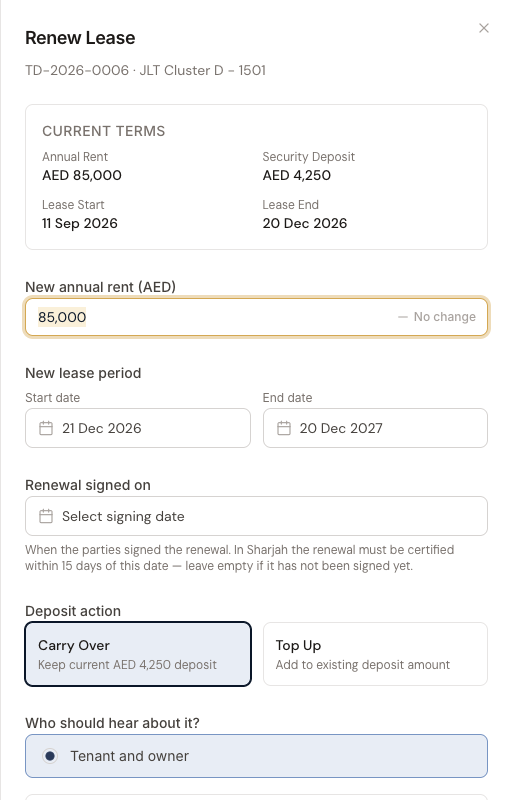
When a registered tenancy nears its end, the deal shows a lease-end banner with Renew Lease. The sheet shows the current terms and asks for the new annual rent, the new lease period, the date the renewal was signed, the deposit (Carry Over or Top Up) and who should hear about it; Create Renewal Deal creates the renewal as a new deal.
A renewal starts at Payment — or at KYC if a party's identification is no longer valid — because the earlier steps were completed on the original deal.
Deadline reminders help you act on time; a reminder is not legal service of a notice. Serve notices the way the emirate's law requires.
Create your first deal → Deals → New Deal
Was this guide helpful?
Related Guides
Ready to put this into practice?
Start your 14-day free trial and apply what you've learned.
Start Free Trial